Payment Agreement Design Templates: Streamline Your Invoicing
Managing client projects involves a delicate balance between creative execution and administrative precision. Whether you are a freelance graphic designer, a small business owner, or a marketing agency, getting paid on time is just as critical as delivering the final design. However, many professionals struggle with the administrative side of their business, often sending plain text emails or basic spreadsheet invoices that fail to reflect their brand's quality. This disconnect can sometimes lead to confusion or delayed payments. That is where the importance of professional documentation comes into play. By utilizing high-quality Payment Agreement Design Templates, you can bridge the gap between creative output and business management, ensuring that your billing process is as polished as your portfolio.
Beyond the Spreadsheet: Why Visual Consistency Matters
Think of your invoice not just as a request for money, but as the final touchpoint of a project. When a client receives a poorly formatted document, it can subtly undermine the professional relationship you worked hard to build. Conversely, a well-designed invoice reinforces your brand identity. It signals that you pay attention to details, from the kerning in a logo design to the layout of a billing statement.
Using a dedicated design template allows for visual consistency across all your marketing assets. If your website, social media graphics, and proposals all share a specific aesthetic, your invoice should too. This consistency helps with brand recognition. When a client opens an email attachment, they should immediately know it is from you based on the color palette and typography alone. It transforms a mundane administrative task into an extension of your professional presentation.
Practical Applications for Creative Professionals
The versatility of a robust template system is invaluable for those juggling multiple clients or projects. For the freelancer, having a pre-formatted file means you aren't wasting billable hours designing a new document every time you finish a job. You simply open the file, update the details, and export. This is particularly useful for:
- Graphic Designers: Presenting itemized lists for logo design packages, social media management, or web design services.
- Photographers: Detailing costs for shoots, editing hours, and print packages.
- Consultants and Strategists: Breaking down hourly rates and project milestones clearly.
- Crafters and Makers: Listing physical goods, shipping costs, and customization fees for merchandise or packaging design.
Imagine you have just completed a complex packaging design project. The deliverables are numerous, including dielines, color variations, and final print-ready files. A standard text document might get cluttered, making it hard for the client to understand exactly what they are paying for. A structured design template, however, uses hierarchy and layout to guide the eye, making complex lists easy to read and count.
Features That Save Time and Reduce Errors
The core value of a professional template lies in its functionality. While aesthetics are important, the file must be practical. The best templates are built with the end-user in mind, offering features that streamline the workflow rather than complicate it. When looking for the right asset, consider the technical specifications that facilitate easy editing.
A high-quality template should be fully editable and customizable. This means you have total control over the color mode (switching between CMYK for print and RGB for digital) and the layout. Being able to adjust the typography is also crucial. You might want to match the font to your specific brand typeface, whether that is a modern sans serif font for a clean tech startup look or a classic serif font for a more traditional, established business vibe.
Furthermore, organization is key. A file with well-organized layers allows you to quickly hide elements you don't need or swap out graphics without breaking the layout. For instance, if you are using Adobe Illustrator, having labeled layers for the header, the table grid, and the footer text makes customization a breeze. Similarly, Microsoft Word compatibility is essential for many business owners who may not have access to professional design software but still need a polished look.
Ensuring Professional Print and Digital Standards
Nothing looks worse than a blurry logo or pixelated text on an official document. This is why technical specifications like 300 DPI (dots per inch) resolution are non-negotiable for print materials. A print-ready file ensures that when you send the document to a printer—or even just view it on a high-resolution screen—it looks crisp and professional.
Additionally, the use of vector design elements ensures that graphics can be scaled to any dimension without losing quality. Whether you are printing a small receipt or a large format poster for a trade show, vector elements remain sharp. This scalability is a hallmark of professional design assets. It provides the flexibility to adapt the template for various needs, such as a quote sheet, a delivery note, or a formal contract, simply by resizing or rearranging the elements.
Streamlining the Payment Process
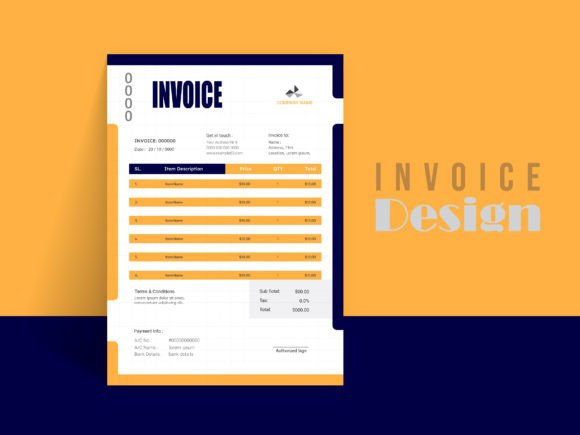
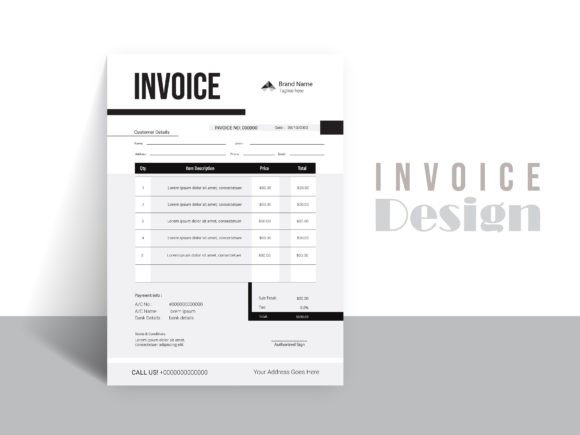
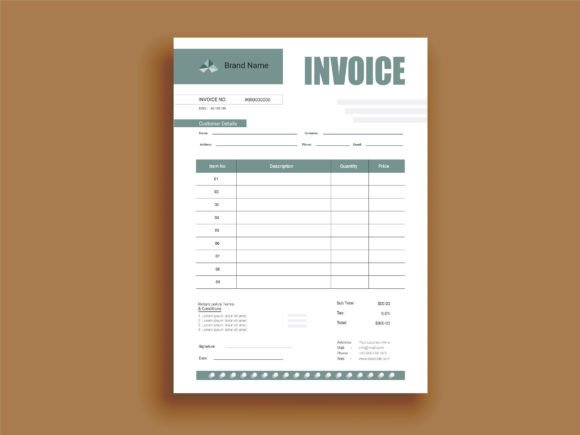
The ultimate goal of an invoice is to get paid. A confusing layout can lead to questions, back-and-forth emails, and delays. A well-designed template improves readability by utilizing clear headings, distinct sections for billing and shipping information, and a highlighted area for the total amount due.
By using a template that lists every piece of a project clearly, you help the client understand the value of the work provided. This transparency builds trust. When a client can easily see the breakdown of costs for their brand identity package—from the initial concept sketches to the final social media assets—they are more likely to approve the invoice quickly. It removes the friction from the payment process, allowing you to focus on your next creative project.
Choosing the Right Format for Your Workflow
When integrating a new template into your system, consider how it fits with your existing software ecosystem. If you primarily work in the Adobe Creative Suite, having access to AI and EPS files is beneficial. These formats offer the highest level of control over vector paths and typography. However, for quick edits or sending to clients who might need to fill in specific details, a Word file can be incredibly useful.
It is also worth noting the importance of fonts. Many premium templates utilize free fonts, which is a massive advantage. It means you don't have to purchase additional licenses to make the template look exactly like the preview image. Always check the font licensing, especially if you plan to use the typography for other commercial projects like merchandise or digital products. Ensuring you have the right to use the typeface commercially protects your business legally.
Final Thoughts on Business Efficiency
In the competitive landscape of design and creative services, efficiency is a superpower. Leveraging high-quality Payment Agreement Design Templates is not just about making documents look pretty; it is about creating a system that supports your business growth. It reduces the time spent on administrative tasks, minimizes errors in billing, and presents a unified, professional image to your clients.
By treating your invoicing with the same creative care you apply to your editorial layouts or web design, you elevate your entire operation. It sends a message that you are serious about your craft and your business relationships. So, before you send out your next bill, consider whether your current method truly represents the quality of work you deliver. A small investment in the right template can yield significant returns in client perception and operational smoothness.